Script Tutorial
Working with GEEL Script after getting dataset ready (read previous page to do this)
Starting Napari
After the desired dataset is put in the directory;
Run main script from the project directory
python src/run_annotation.py

> Enter Directory:
./example_dataset
- THE SCRIPT RUNS ON THE DIRECTORY ITSELF
- The Checkpoint file should be created automatically
    .
    ├── checkpoints
    │   └── imgAnnotatedData.json
    ├── full_img
    │   ├── Engilchek_glacier_1999-07-09.tif
    │   ├── Engilchek_glacier_1999-08-10.tif
    │   ├── Engilchek_glacier_1999-08-26.tif
    │   └── Engilchek_glacier_1999-10-13.tif
    └── label_img
        ├── Engilchek_glacier_1999-07-09.tif
        ├── Engilchek_glacier_1999-08-10.tif
        ├── Engilchek_glacier_1999-08-26.tif
        └── Engilchek_glacier_1999-10-13.tif
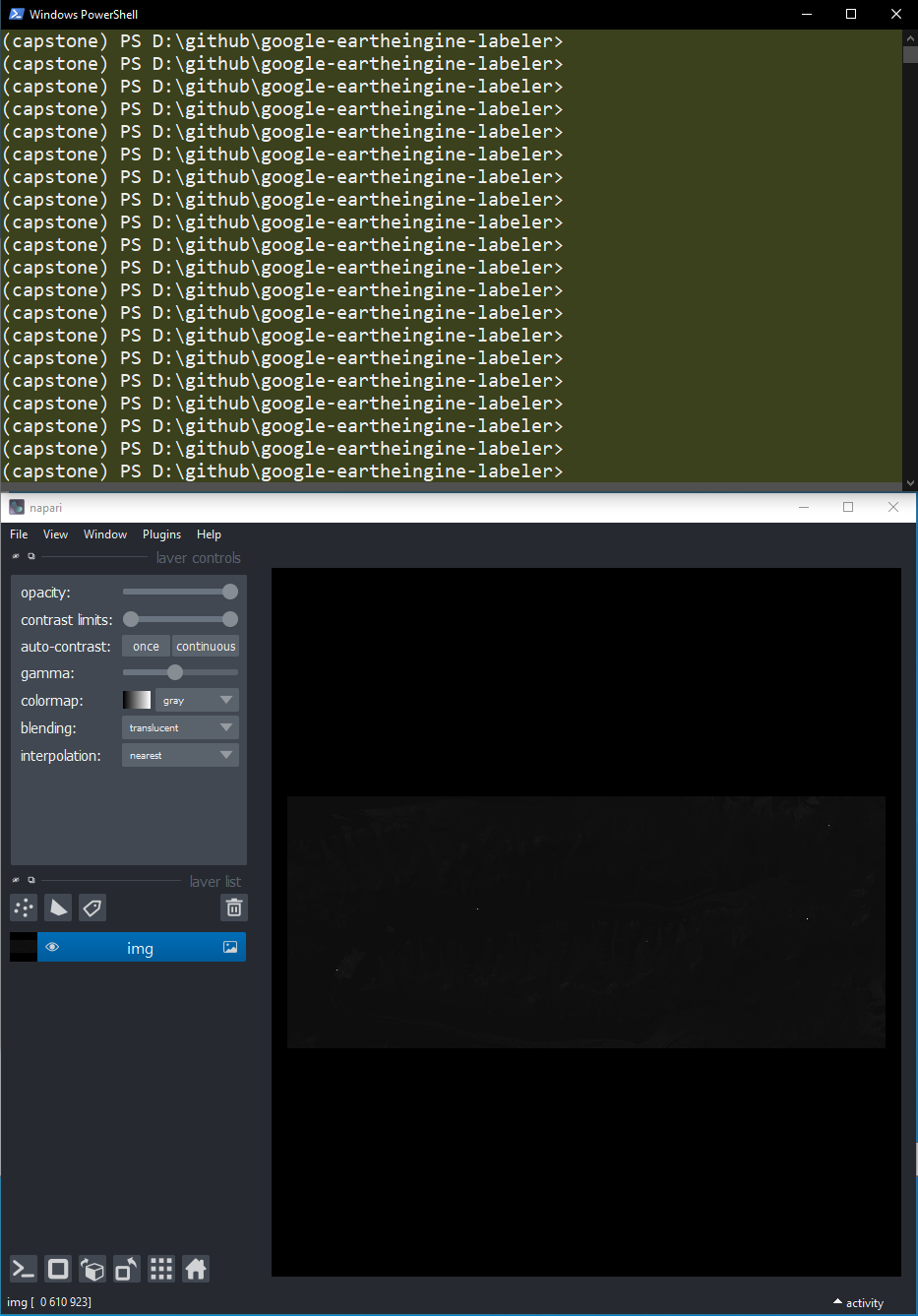
My Monitor Setup
Running through Dataset
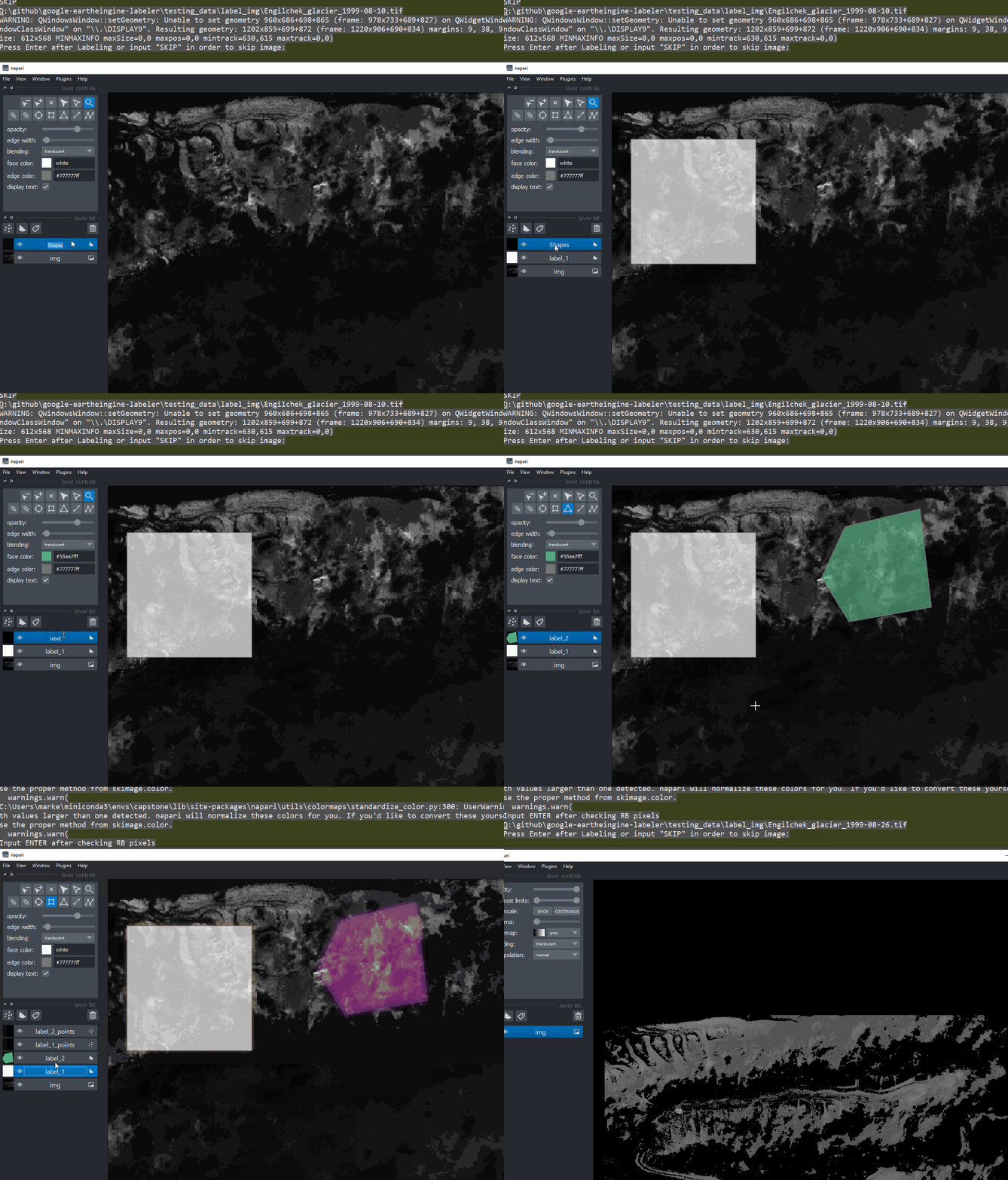
Label Image or decide to SKIP image
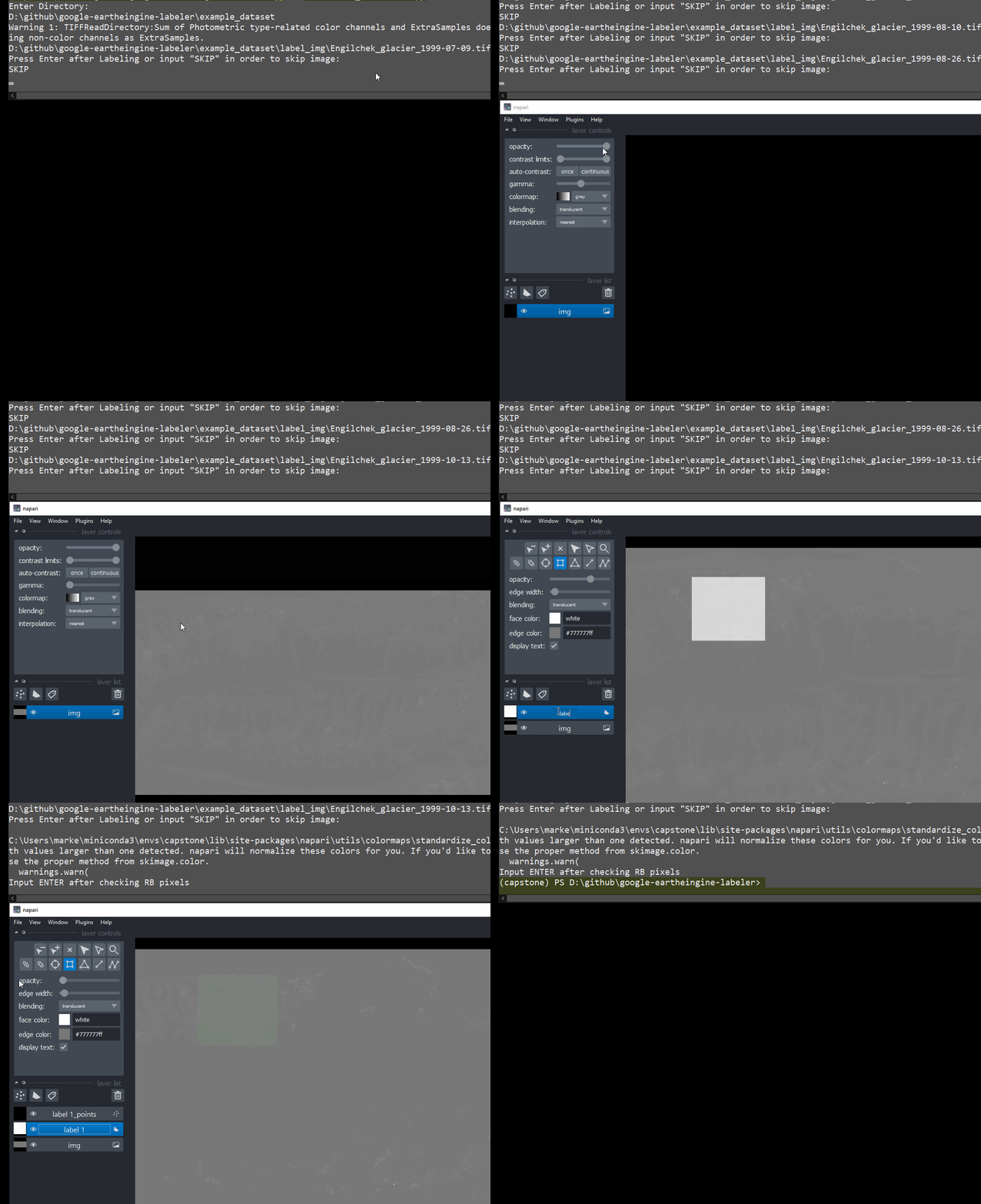
Iterate through dataset
If image is labeled, press ENTER else, enter "SKIP")
 Enter SKIP if you want to skip image
Checkpoint & Output Structure
Checkpoint System
- When the image is either (finished being) labeled or skipped, the checkpoint system will record the name of the image
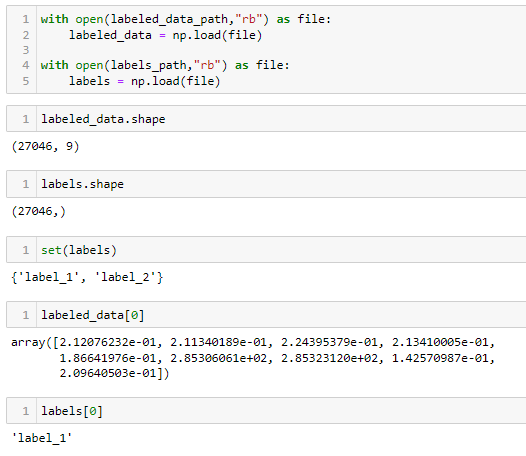
- When an image is labeled, the pixel-label data is saved into numpy files
./example_dataset
├── checkpoints
│   ├── data.npy
│   ├── imgAnnotatedData.json
│   └── labels.npy
├── full_img
│   ├── Engilchek_glacier_1999-07-09.tif
    ...
└── label_img
    ├── Engilchek_glacier_1999-07-09.tif
    ...
⚠️ IF YOU WANT TO START OVER, DELETE THE CHECKPOINT FILE. THIS WILL CLEAR OUT SAVED WORK THE LABELING PROGRAM WILL CREATE ANOTHER CHECKPOINTS FILE WHEN USING FRESH DATASET.
Output Structure
| file | description |
|---|---|
| data.npy | This file that holds the band data for each pixel of the labeled polygon |
| labels.npy | This file holds the designated label |